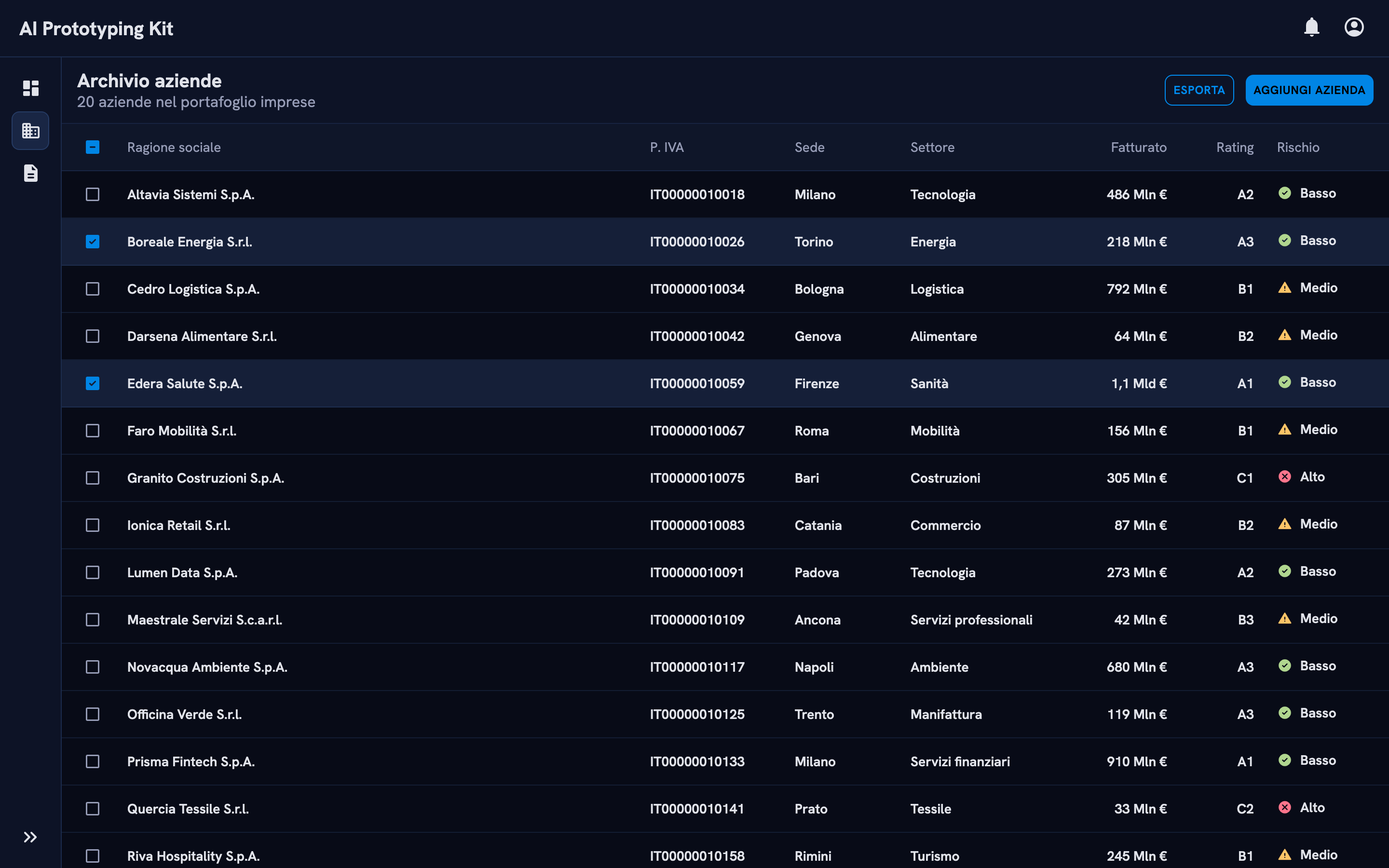
Our prototypes were static, slow to build and full of hand-made fake data. I built a kit that gives any AI agent the real design system components, the rules to use them and a database of realistic data. A simple prototype went from 1–2 days to 1–2 hours, and it behaves like the real product.
Role
Sole creator: concept, code, documentation, maintenance
Figma prototypes were static: interactions wired by hand, fake data typed row by row, behaviour that development got for free simulated with effort. AI tools were faster but ignored our design system.
What I did
On my own, I rebuilt the design system in code, wrote guidelines an agent can follow, added local databases of realistic company data, automated checks, and a skill that keeps old prototypes up to date.
The result
1–2 days → 1–2 hours for a simple prototype. Data tables fill in seconds, and prototypes are dynamic, connected and close to what development ships.
01 · Context
Fast, but off-system
Cerved's products are data-heavy: archives of companies in large tables, detailed company pages, multi-step flows. Prototyping them in Figma meant static screens. Every interaction was wired by hand, and behaviour that development gets for free, such as sorting, filtering or validation, had to be simulated with effort and a high chance of mistakes.
The biggest time sink was fake data. Filling an archive table or a specific company page for a flow could take hours, sometimes days.
AI tools promised speed, but their output wasn't ours: the agent guessed what a button or a table should look like, and every guess drifted away from the design system.
The question wasn't whether to use AI, but how to make it use what we already knew.
02 · Approach
Give the agent the system, not just a prompt
1. Rebuild the library in code
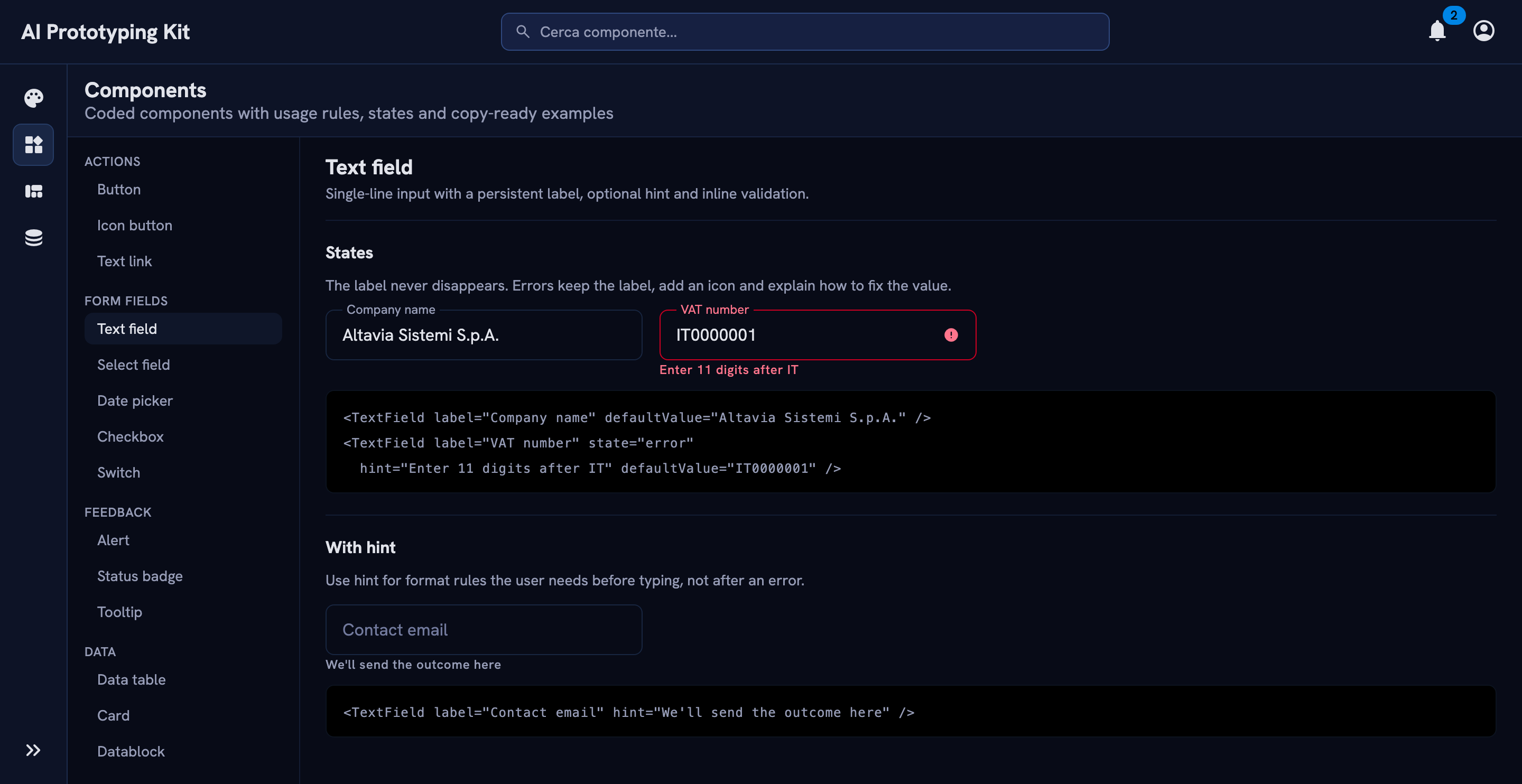
Working with AI coding agents, I rebuilt the Figma components as 40 React components with their real variants, states and keyboard behaviour, from buttons and form fields to data tables, filters, side panes and wizards. An agent can't misdraw a component it imports.
The kit's documentation app: every component with live states and copy-ready code.
2. Write guidelines an agent can actually follow
Each component has its own guide: when to use it, its API, variants, states, responsive behaviour and accessibility. On top of that sit 6 page layouts (archive, dashboard, entity, wizard and more) and the foundations: tokens, typography, icons, breakpoints.
The entry file tells the agent what to read, and when, so it loads only the guidance relevant to the screen it's building, instead of everything at once.
# Form fields · guidelines/components/form-fields.md## Usage
- Always show a visible `label`. A placeholder is an example, never a label.
- Use `hint` for format rules the user needs before typing.
- On error, keep the label, set `state="error"` and say how to fix the value.
- Mark required fields with `required`, and explain the asterisk once per form.
- Don't disable submit to signal errors: validate and show them instead.
An excerpt from one of the 32 component guides. Each starts with when and how to use the component, then its API, states and accessibility.
3. Give prototypes realistic data, instantly
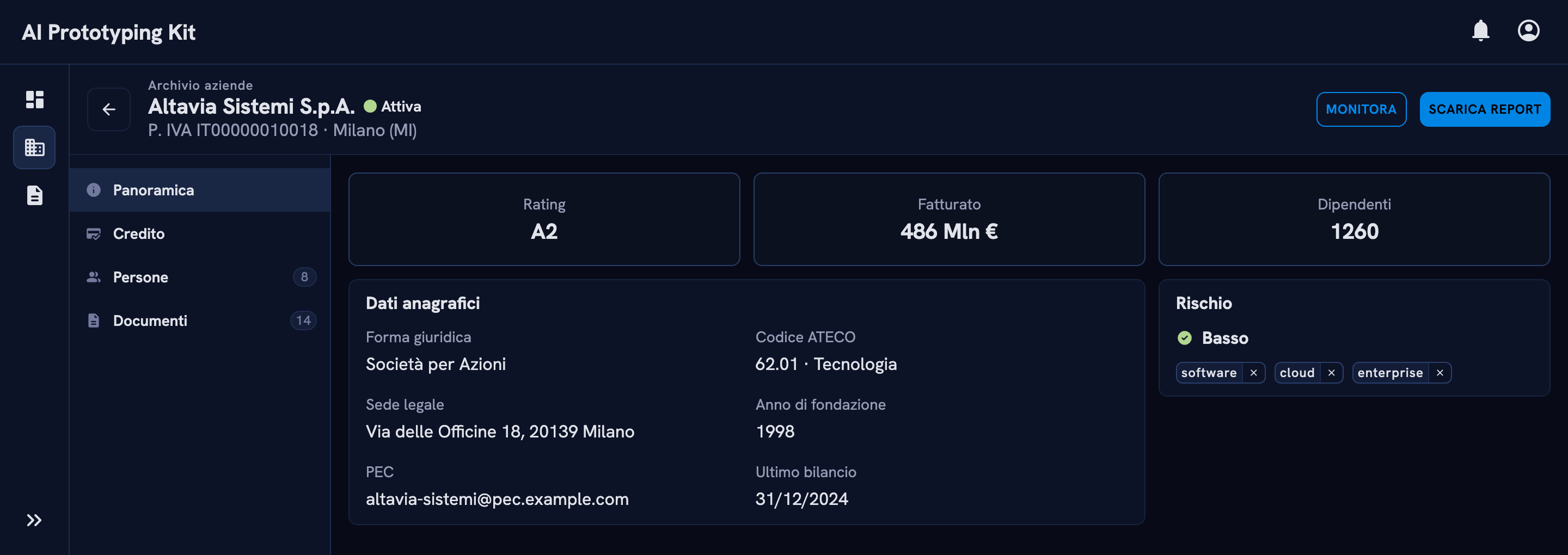
The kit ships with local databases of synthetic companies, with typed helpers and a versioned schema. Agents pull from them instead of inventing data, so archive tables and company pages are filled in seconds, consistently across every screen of a flow.
A company page filled from the kit's synthetic database. No data typed by hand.
4. Check the output automatically
Rules aren't enough on their own. The kit runs tests and a build after every change, validates icon usage, and validates synthetic data against a versioned schema, so mistakes surface immediately rather than in a review.
5. Keep prototypes alive as the kit evolves
A kit that changes every week breaks the prototypes built on older versions. I automated the kit's changelog and built an agent skill that reads it, finds what's out of date in an existing prototype and guides the designer through updating it to the latest release.
Kit releaseEach change to a component or guideline is logged automatically in the changelog.
Skill reads itThe agent skill compares the prototype with the changes since its version.
Finds what's staleIt lists the components, props and patterns that are out of date.
Guides the updateIt walks the designer through each change, up to the latest release.
How older prototypes stay current as the kit evolves.
6. Test it through a living showcase
A demo app renders every component, variant, state and layout in both themes. I use it to test each release before teams see it.
03 · Key decisions
Less freedom, better prototypes
Real code instead of screenshots or Figma exports
I rebuilt the components rather than describing them to the agent.
WhyA described component gets reinterpreted every time; an imported one behaves identically in every prototype, including focus, keyboard and error states.
Choose by purpose, not by look
Guidelines tell the agent to pick components by what they do. For example, the secondary button colour is reserved for payment actions only.
WhyAgents match on appearance. Rules based on intent prevent "this looks like a button, so use it" mistakes.
Ask, don't guess
When guidance is missing or conflicts with the request, the agent must stop and ask the designer, explaining the options.
WhyA confident wrong guess costs more than a question. It also shows me where the documentation has gaps.
Tool-agnostic on purpose
It's not a Figma Make kit. It's plain code plus Markdown guidelines, so the same kit works in Figma Make, with Claude or with any other coding agent.
WhyAI tools change every few months. The design knowledge is the asset, and it shouldn't be locked into one vendor.
04 · Outcome
The design system, now usable by AI
The design team, about 10 designers, uses the kit to build interactive prototypes. They use the same components, layouts and accessibility rules as the real product, so they can go straight into user tests and stakeholder reviews.
1–2 days → 1–2 hours for a simple interactive prototype.
Hours → seconds to fill archive tables and company pages with realistic data.
Real behaviour: prototypes are dynamic and connected, close to what development ships, instead of static and simulated.
Consistency by construction: prototypes are built from system components, not approximations.
Accessibility included: labels, focus and contrast come with the components.
Maintainable: the changelog skill brings older prototypes up to the latest release.
Feedback loop: every question the agent asks points to a gap in the documentation I can close.
What I learned
Writing for an agent made our documentation better for humans too. Anything vague was immediately exposed, because the agent either ignored it or asked about it.
Want the full story?
I'm happy to walk you through the kit, the guidelines and how teams use it.